

Import a Photoshop file
1
Open the import
Go to Visuals → Overview, click Add new, choose From generator
and then From Photoshop.
2
Choose the file
Drop a PSD of at most 20 MB, or click Choose file. VRA reads the layers.
3
Check the preview
The preview shows the design and the layers VRA found, like 4 text layers
and 2 shapes. Give the visual a name under Visual name.
4
Import
Click Import visual. VRA uploads the images, creates the visual and opens it
in the Visual Designer.
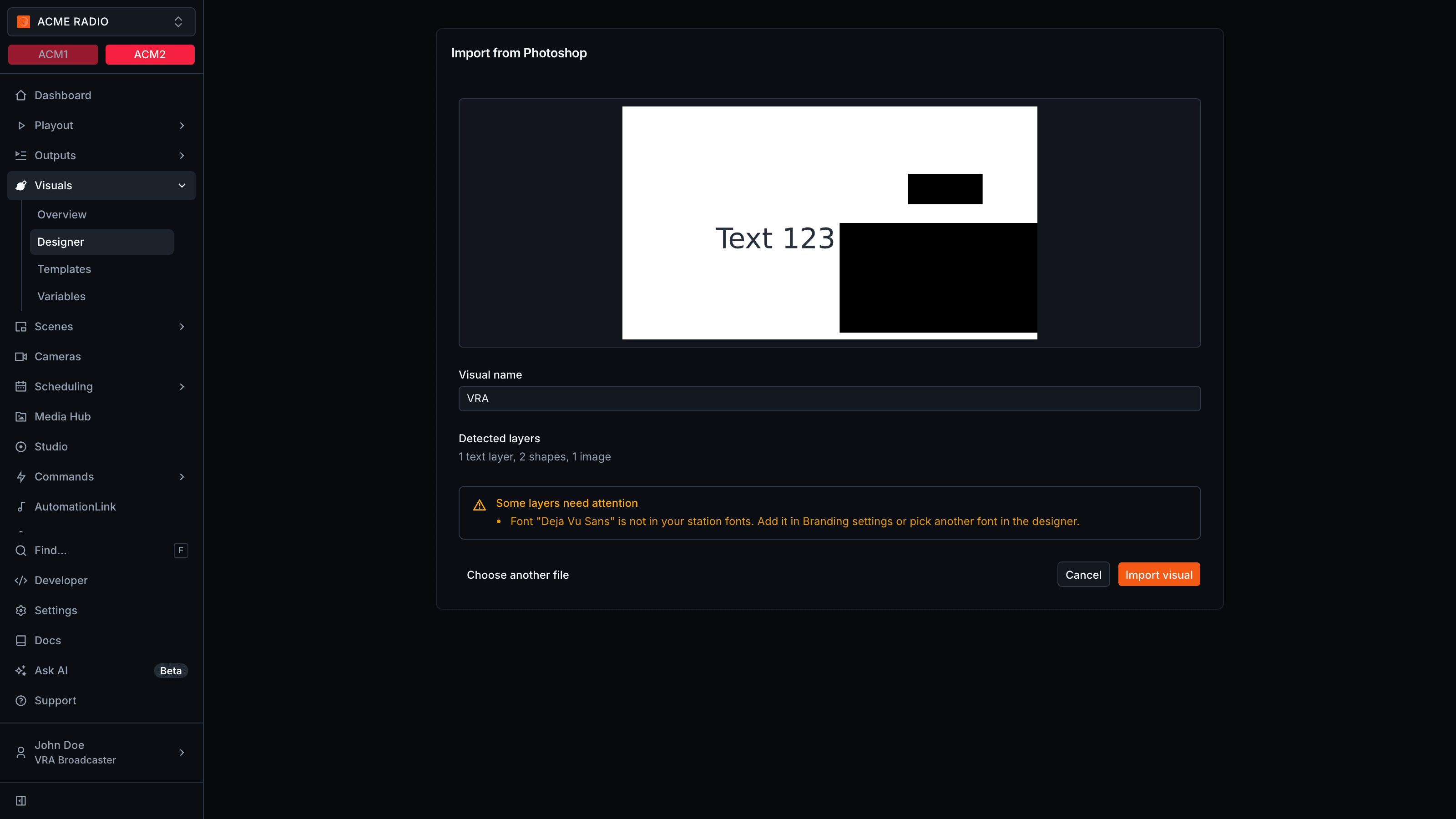
How Photoshop layers come in
The aspect ratio of the visual follows the pixel size of the PSD.
Parts of a Photoshop file that can’t become editable layers come in as images. Some layers need attention lists what changed, like an unsupported blend mode, an ignored layer mask or effect, a group merged into one image, or opacity ignored on text or a shape. Image layers over 10 MB, or wider or taller than 12000 px, are skipped.