

- Upload Media: Add your media files by dragging and dropping assets directly into the Media Hub or uploading them manually through the interface.
- Organize Media: Create folders and subfolders to categorize your assets, making them easy to locate and use across VRA tools like Outputs, Scheduling, and the Visual Designer.
- Integrated Access: Organized assets are accessible throughout the VRA Cloud platform, streamlining workflows and ensuring your media is readily available for broadcasts.
Image Media
Within Cloud you can upload your Media in the form of images (png, jpg, etc.) These images can later be used for the media of your Scheduling Program, Presenters information or Visual Designer elements.Note on quality
VRA will make sure that uploaded images are always loading as fast as possible in your Cloud (automatic compression). However when used in an Output (Visual Element display) the Media is always loaded in the highest possible quality.Supported image formats
You can upload the following image formats to VRA Cloud:- PNG
- GIF
- JPEG
- WebP (excluding animated WebP files)
- SVG
Dimensions and sizes
These are the maximum allowed sizes and dimensions VRA supports:- Maximum image dimension is 12,000 pixels.
- Maximum image area is limited to 100 megapixels (for example, 10,000×10,000 pixels).
- Image metadata is limited to 1024 bytes.
- Images have a 10 megabyte (MB) size limit.
- Animated GIFs, including all frames, are limited to 100 megapixels (MP).
Video Media
Output Player rundowns support your uploaded media as content, so you are able to play your freshly uploaded video content on a Player.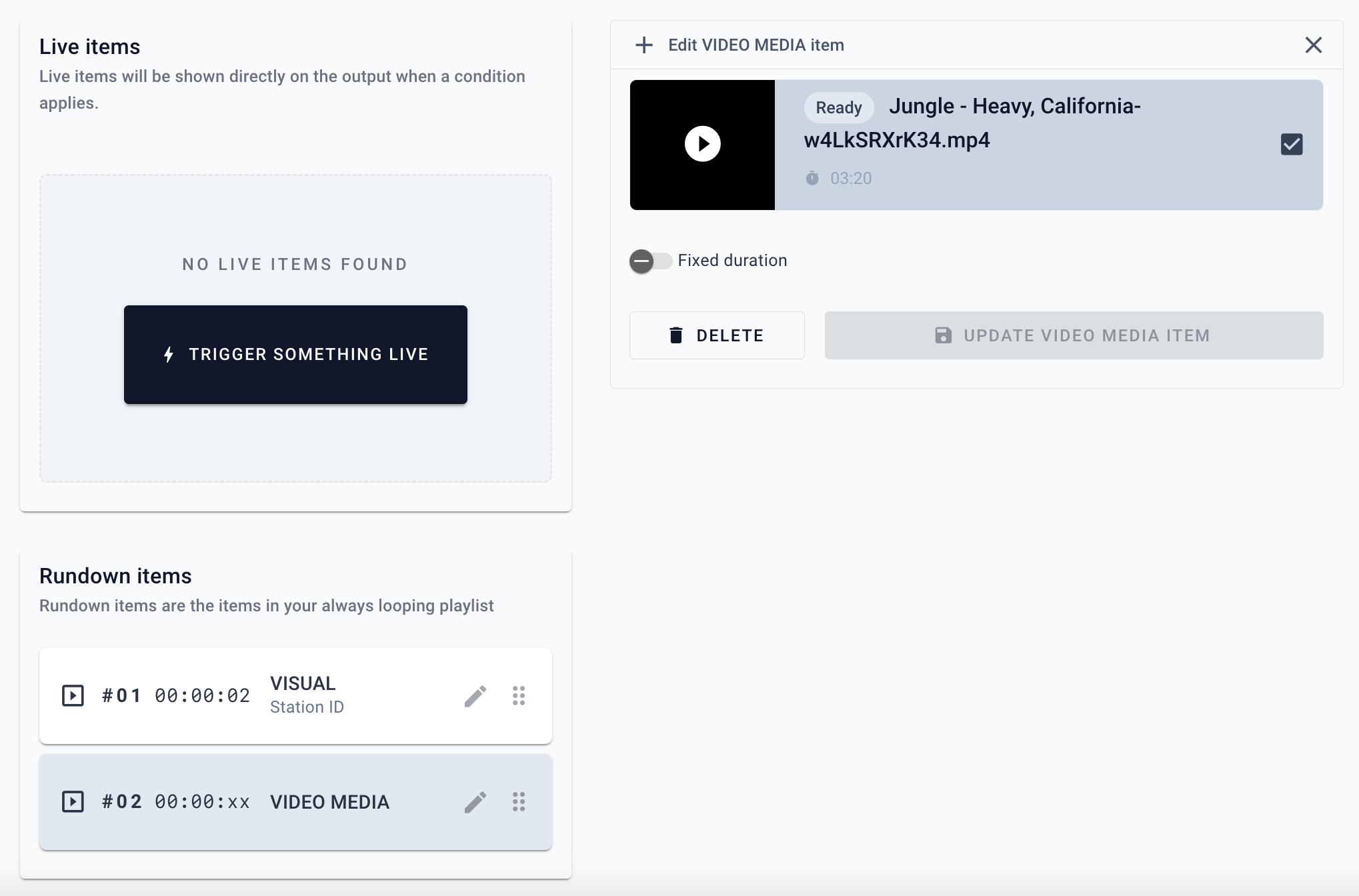
Uploading your media
After upload, your media will be processed. When the media has been successfully processed you can see the “Ready” label.
Format & Auto conversion
VRA automatically converts the uploaded video into a suitable Output Player format; currently 1080p in your source framerate (max. 70 FPS). This processing step usually takes a minute or two.File formats supported:
MP4, MKV, MOV, AVI, FLV, MPEG-2 TS, MPEG-2 PS, MXF, LXF, GXF, 3GP, WebM, MPG, QuickTime
MP4, MKV, MOV, AVI, FLV, MPEG-2 TS, MPEG-2 PS, MXF, LXF, GXF, 3GP, WebM, MPG, QuickTime
Alpha layers in uploaded video files will be converted to fill (black). Use Local Media files in Output Editor to play large Alpha-layer videos.