

Players
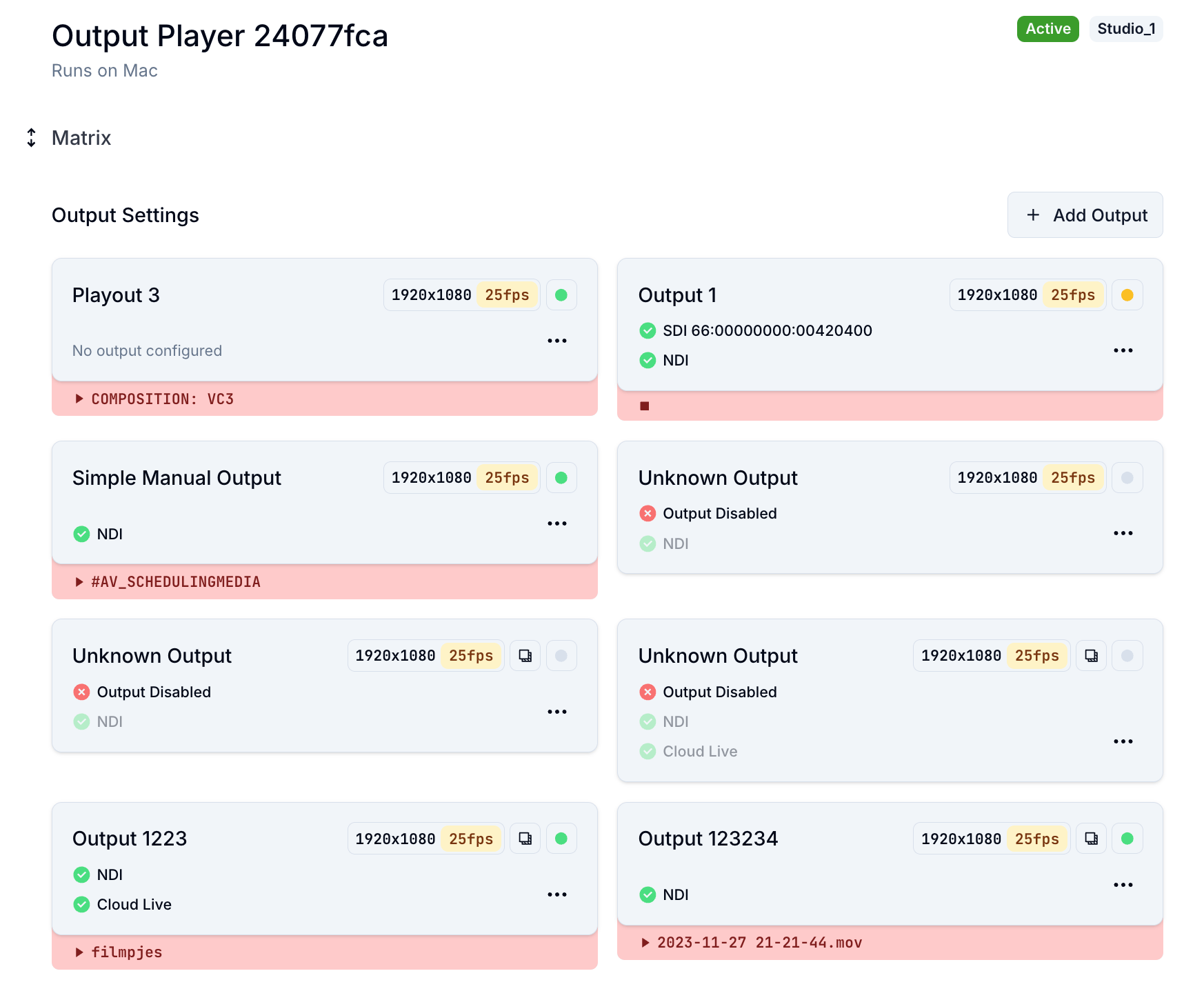
The Players tab gives you a clear overview of all configured Output Players in your Visual Radio setup. Each player represents a physical or virtual output destination (such as a studio screen, NDI stream, or SDI connection). Through the Output Matrix, you can map which Output Player receives which signal. This mapping defines where specific visuals are broadcast. Connections include:- NDI: for IP-based studio or network transmission.
- SDI: for integration with professional broadcast infrastructure.
- Cloud Live: for remote monitoring and control directly from the Visual Radio Cloud platform.
Base Layers
Base Layers are persistent visual elements that appear on every visual layout with a fixed index order. These layers are typically used for static or always-on graphics such as:- Station logos
- Background gradients
- Channel identity visuals
Visual Snippets
Snippets are reusable HTML components that can be used in visuals. Examples of snippets could be:- Lower thirds
- Now Playing graphics