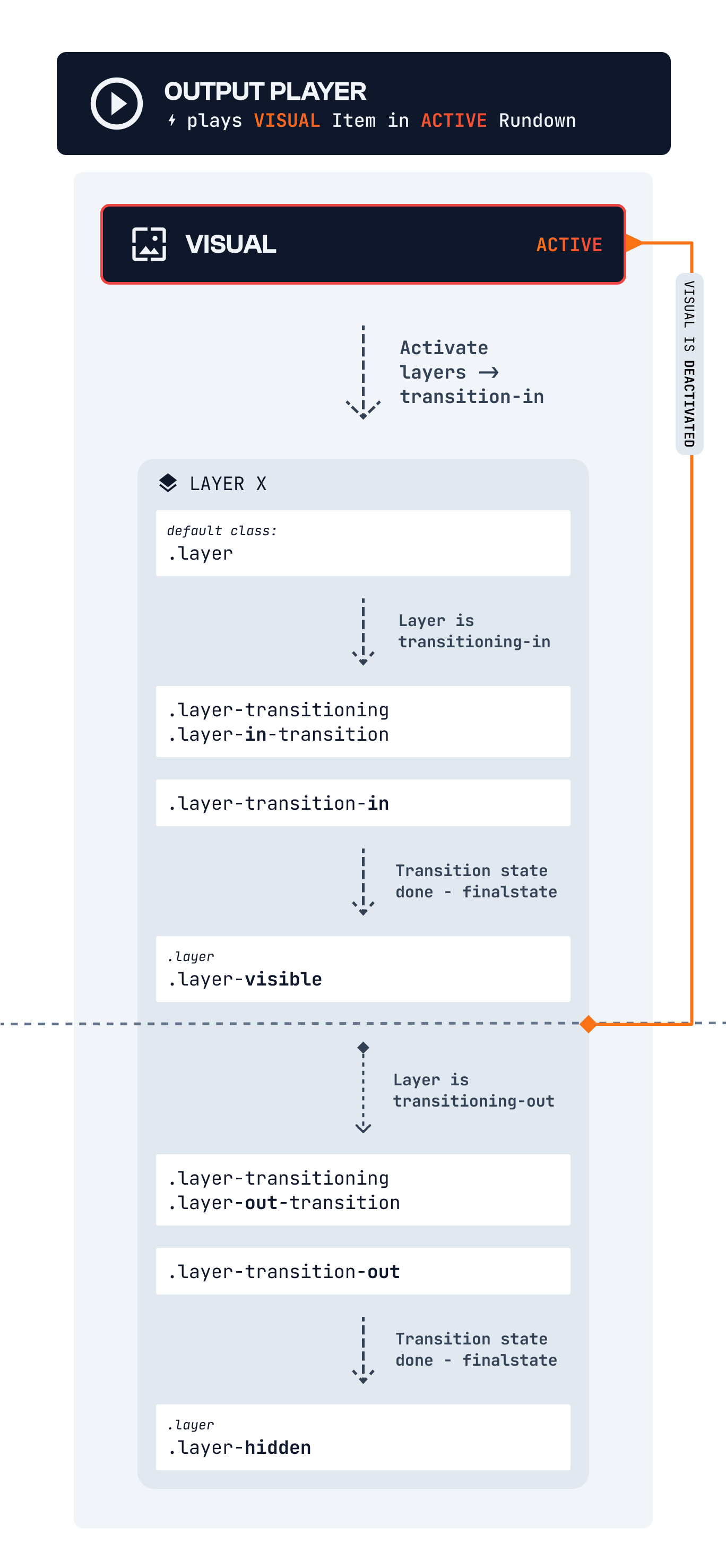
Layer Transition Lifecycle
Activation/Active state means: Output plays the layer’ parent Visual AND Layer Condition is Live.layer-in-transitionwhen the layer is in a transition mode between active states+750 ms
.layer-transition-inwhen a layer becomes active.layer-transition-outwhen a layer becomes inactive.layer-visibleLayer transition **done **and Layer is visible and is active.layer-hiddenLayer transition **done **and Layer is hidden and is not active
Future Lifecycle improvements include Visual’s CUE-IN state (to know that a Visual is coming up in Output Player Rundown Queue) and a CUE-OUT state which identifies when a Visual’s playtime is almost over.