> ## Documentation Index
> Fetch the complete documentation index at: https://docs.visualradioassist.live/llms.txt
> Use this file to discover all available pages before exploring further.
# What is Visual Radio Assist
> Visual Radio Assist helps automate Visual Radio, with tools to control the broadcast, cameras, data, and playout content.
Visual Radio Assist (VRA) helps automating Visual Radio, by providing tools to control the broadcast, camera's, integrating existing data and playout content.
**Cloud**
You can get access and control your Visual Radio situation via our [**Cloud environment**](https://visualradio.cloud/login?ref=docs), this is a online platform to manage everything Visual Radio.
Multiple users (RBAC) from your radiostation can simultaneously write content, modify scheduling or add a new Dante Audio connection/configure NDI or SDI.
**Apps**
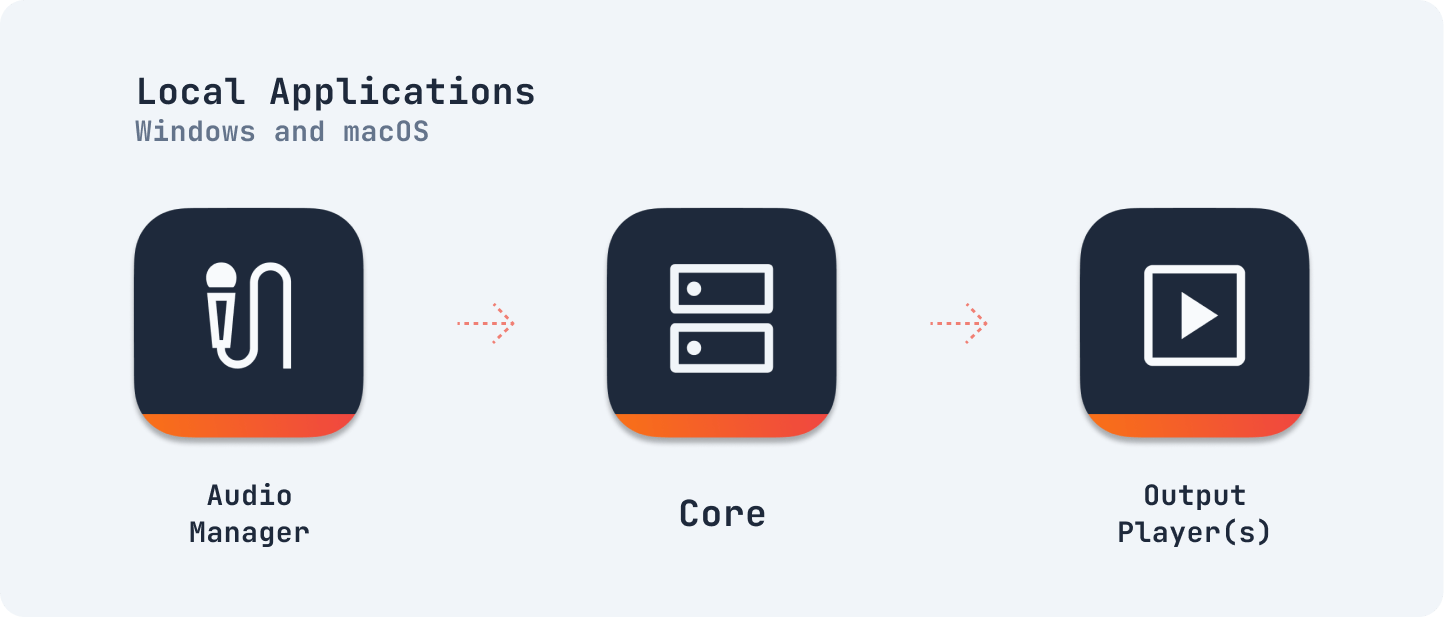
To make VRA work in your specific radiostudio set-up you need to connect VRA with all your existing tools, software and hardware. Therefore VRA has three essential [local applications](https://visualradio.cloud/apps/download); the **Core, Audio Manager and Output Player.**
After installation these apps communicate with Cloud to play-out your Output Rundown, trigger schedule-based items or create the best presenter-shot with the Audio Configuration.
In the end you manage in the Cloud and execute locally in your safe network environment.
**Video signals**
VisualRadioAssist does not try to reinvent the wheel by creating another software processing, streaming or switching your camera video signals and encoding them on the internet (or SDI). Instead VRA delivers the best Visual Radio performance by integrating industry proven hard- and software like vMix, Blackmagic Design ATEM and Hyperdeck and OBS to the Core of VRA. Check out Video Switcher guide for more information on this connection.
When creating new signals containing lip-sync music clips, logo overlays or tickertapes the Output Players create broadcast-ready plug-in-play SDI and/or NDI signals for you to use in your existing video set-up.
### Quick impression
 After installation these apps communicate with Cloud to play-out your Output Rundown, trigger schedule-based items or create the best presenter-shot with the Audio Configuration.
In the end you manage in the Cloud and execute locally in your safe network environment.
**Video signals**
VisualRadioAssist does not try to reinvent the wheel by creating another software processing, streaming or switching your camera video signals and encoding them on the internet (or SDI). Instead VRA delivers the best Visual Radio performance by integrating industry proven hard- and software like vMix, Blackmagic Design ATEM and Hyperdeck and OBS to the Core of VRA. Check out Video Switcher guide for more information on this connection.
When creating new signals containing lip-sync music clips, logo overlays or tickertapes the Output Players create broadcast-ready plug-in-play SDI and/or NDI signals for you to use in your existing video set-up.
### Quick impression
After installation these apps communicate with Cloud to play-out your Output Rundown, trigger schedule-based items or create the best presenter-shot with the Audio Configuration.
In the end you manage in the Cloud and execute locally in your safe network environment.
**Video signals**
VisualRadioAssist does not try to reinvent the wheel by creating another software processing, streaming or switching your camera video signals and encoding them on the internet (or SDI). Instead VRA delivers the best Visual Radio performance by integrating industry proven hard- and software like vMix, Blackmagic Design ATEM and Hyperdeck and OBS to the Core of VRA. Check out Video Switcher guide for more information on this connection.
When creating new signals containing lip-sync music clips, logo overlays or tickertapes the Output Players create broadcast-ready plug-in-play SDI and/or NDI signals for you to use in your existing video set-up.
### Quick impression