> ## Documentation Index
> Fetch the complete documentation index at: https://docs.visualradioassist.live/llms.txt
> Use this file to discover all available pages before exploring further.
# Use vMix as Video Playout for Visual Radio
> To manage your Video Switcher Connections make sure your Core App is running.
To manage your Video Switcher Connections make sure your [Core App is running](/machine-specs)
Go to [visualradio.cloud/studio/active/advanced/switcher](https://visualradio.cloud/studio/active/advanced/switcher) within your Cloud, and add a new Switcher.
## Supported versions
All vMix versions (Basic – Max) are supported by the VRA Switcher Connection. Do note that to make use of the full Visual Radio Assist product features you maybe need more than one Overlay Channel - HD). To smart automate Camera Angles and make use of script triggers in VRA the vMix 4K version is obviously required.
VRA Supports up to version the latest vMix update v27.
## Connect
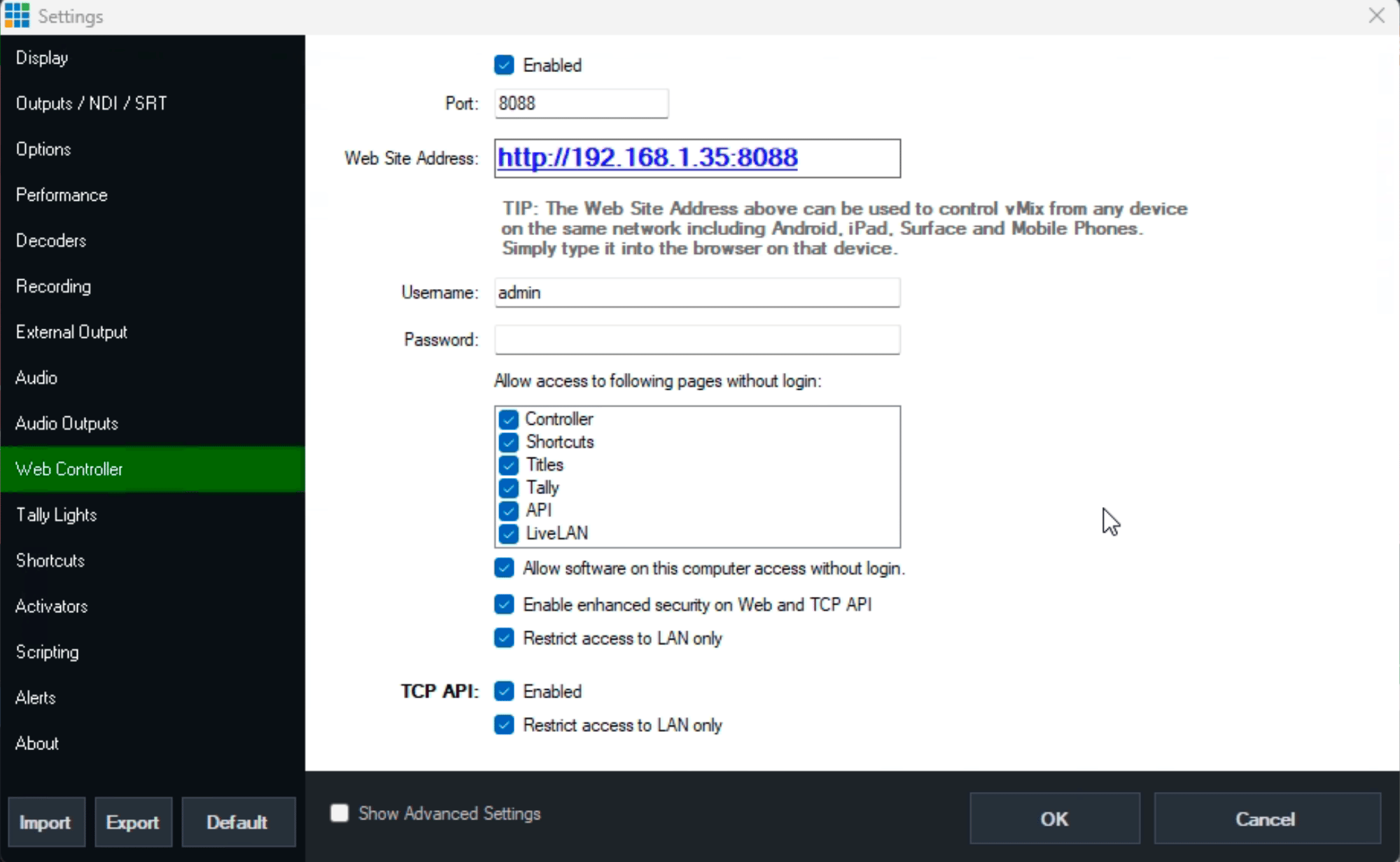
Open your vMix Settings and go to Web Controller to **make sure it is enabled together with the TCP API.**
Provide the listed host and ip in the Video Switcher configuration in [VRA Cloud](https://visualradio.cloud/studio/active/advanced/switcher).
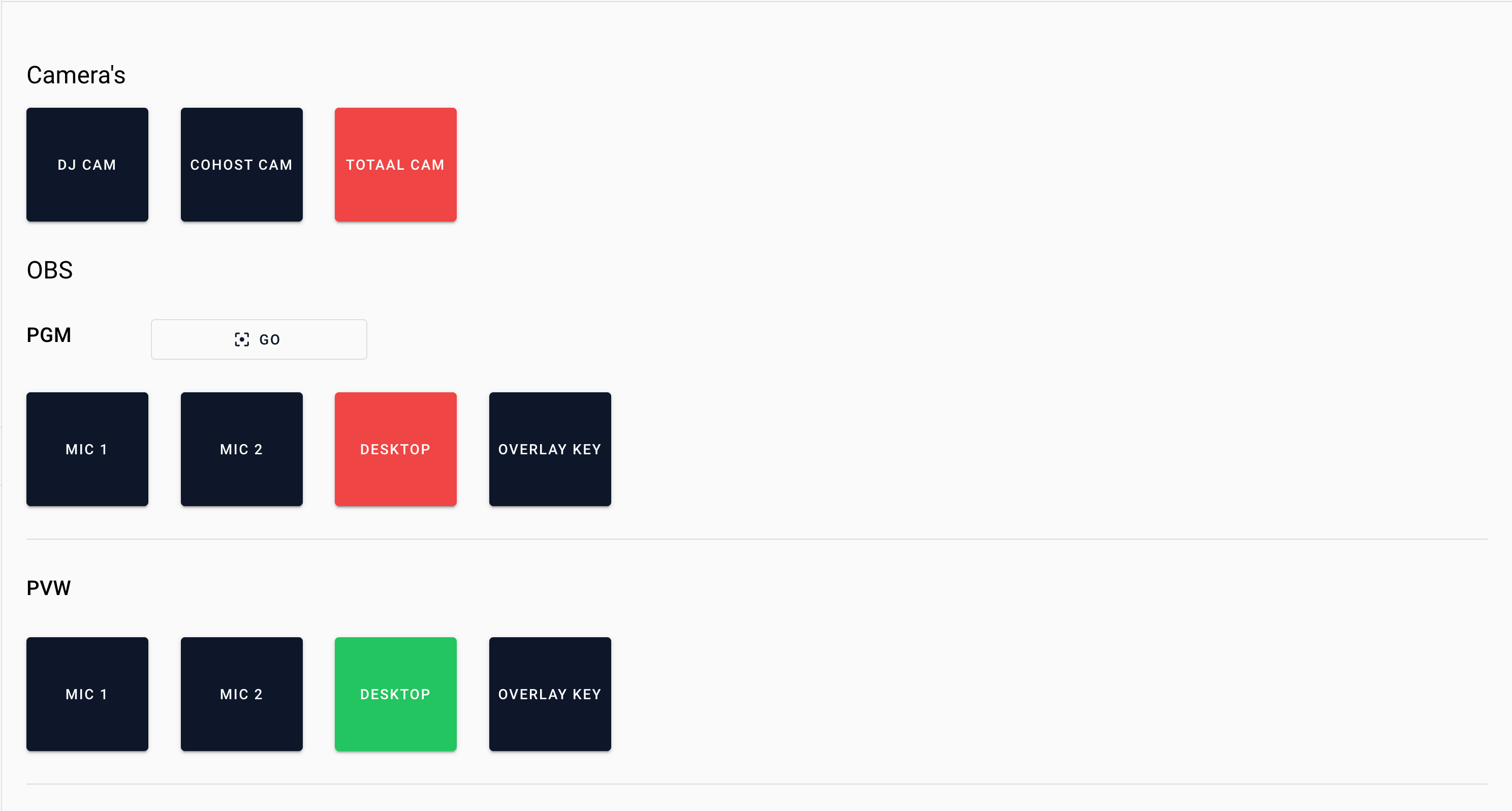
After configuring and **enabling** the new switcher configuration, go to [visualradio.cloud/switcher](https://visualradio.cloud/switcher) to test and validate your connection.
 Provide the listed host and ip in the Video Switcher configuration in [VRA Cloud](https://visualradio.cloud/studio/active/advanced/switcher).
After configuring and **enabling** the new switcher configuration, go to [visualradio.cloud/switcher](https://visualradio.cloud/switcher) to test and validate your connection.
Provide the listed host and ip in the Video Switcher configuration in [VRA Cloud](https://visualradio.cloud/studio/active/advanced/switcher).
After configuring and **enabling** the new switcher configuration, go to [visualradio.cloud/switcher](https://visualradio.cloud/switcher) to test and validate your connection.