> ## Documentation Index
> Fetch the complete documentation index at: https://docs.visualradioassist.live/llms.txt
> Use this file to discover all available pages before exploring further.
# Map Output Player Devices
> VRA Cloud Provides an Output Mapper to map your Players (rundowns playing your content) to an available output (NDI or SDI).
Create your Output Player(s) first via the [Output Editor](/output-editor) before continuing with the mapping
VRA Cloud Provides an [Output Mapper](https://visualradio.cloud/studio/active/advanced/output) to map your Players (rundowns playing your content) to an available output (NDI or SDI). This mapping process is familiar for people that have used the Dante Audio Controller mapping software.
### NDI Preparation
Install the NDI Runtime 6 before starting/installing the Visual Radio Assist Output Player to make use of NDI outputs.
* Windows: [http://ndi.link/NDIRedistV6](http://ndi.link/NDIRedistV6) or [Alternative link](https://downloads.ndi.tv/SDK/NDI_SDK/NDI%206%20Runtime.exe)
* MacOS: [http://ndi.link/NDIRedistV6Apple](http://ndi.link/NDIRedistV6Apple) or [Alternative link](https://downloads.ndi.tv/SDK/NDI_SDK_Mac/libNDI_for_Mac.pkg)
### SDI Preparation
Install the PCIe Blackmagic Design Decklink Card in your machine or connect the UltraStudio Monitor device to enable output to SDI.
Make sure you have installed the corresponding Blackmagic Video Setup drivers to access the SDI device in VRA.
### Steps to start with the Output Player
1. Follow your Output planning and decide where and how to implement your Output Players
2. Enable the correct Output to NDI- and Output to SDI- mappings to start the players
3. NDI: Open your playout/video software and browse to the initialized NDI Source containing `VRA-{output-name}`
4. SDI: Route the signal from your DeckLink Video card to a target like an ATEM Switcher, SDI Monitor or another viewer to verify your working SDI source.
Start with a **single** test Output containing an sample Visual or videofile you can use to verify the player functionality.
### Mapping from Output Matrix Decklink to SDI Out
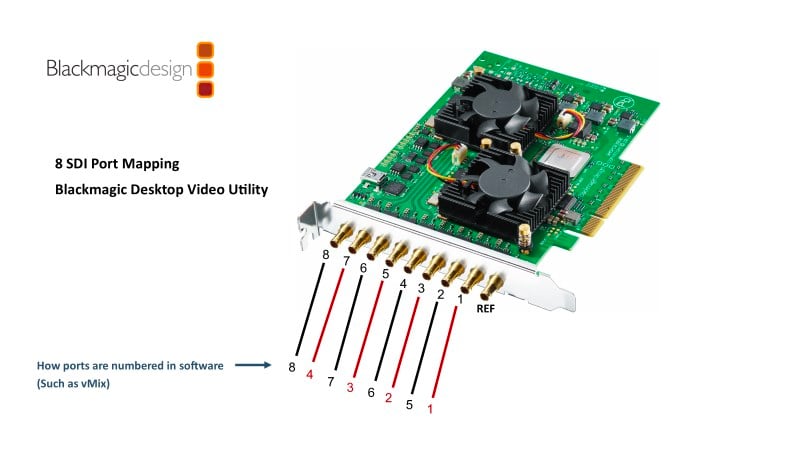 Follow this guide on preparing your Decklink Setup for VRA Output Players
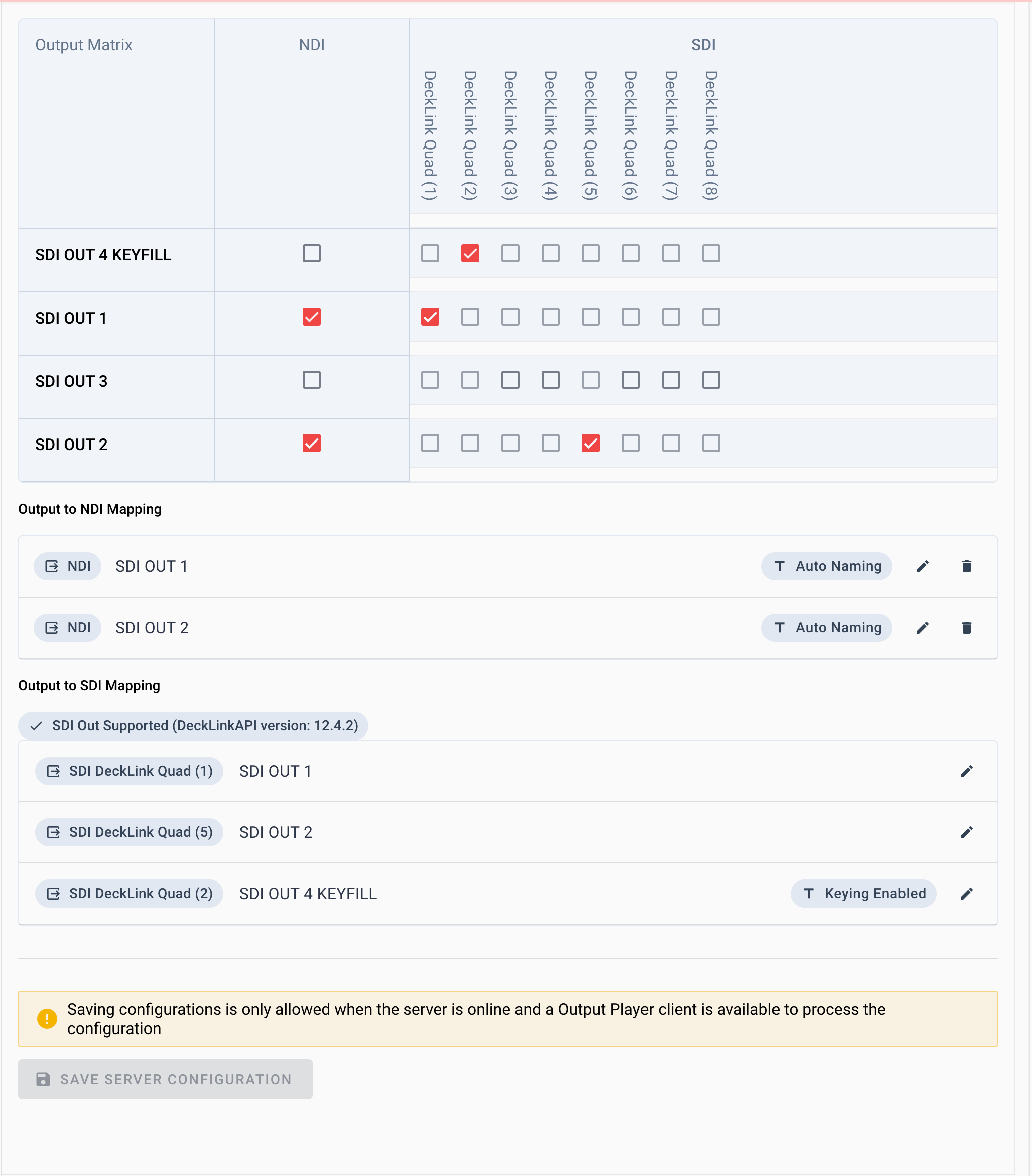
## Example Output Player Settings with several mappings
Follow this guide on preparing your Decklink Setup for VRA Output Players
## Example Output Player Settings with several mappings