> ## Documentation Index
> Fetch the complete documentation index at: https://docs.visualradioassist.live/llms.txt
> Use this file to discover all available pages before exploring further.
# Link RCS Zetta to Visual Radio
> To automate Visual Radio with RCS Sound Software Zetta you can easily link it to your set-up by following the configuration guide in the AutomationLink installation.
To automate Visual Radio with RCS Sound Software Zetta you can easily link it to your set-up by following the configuration guide in the AutomationLink installation.
***
### Preparation
1. Go to your AutomationLink Settings in the Advanced Studio Settings
Add the RCS Zetta Automation
 ### Configuration
To configure the integration with VisualRadioAssist in RCS Zetta, make sure to set-up the correct URL and Output format
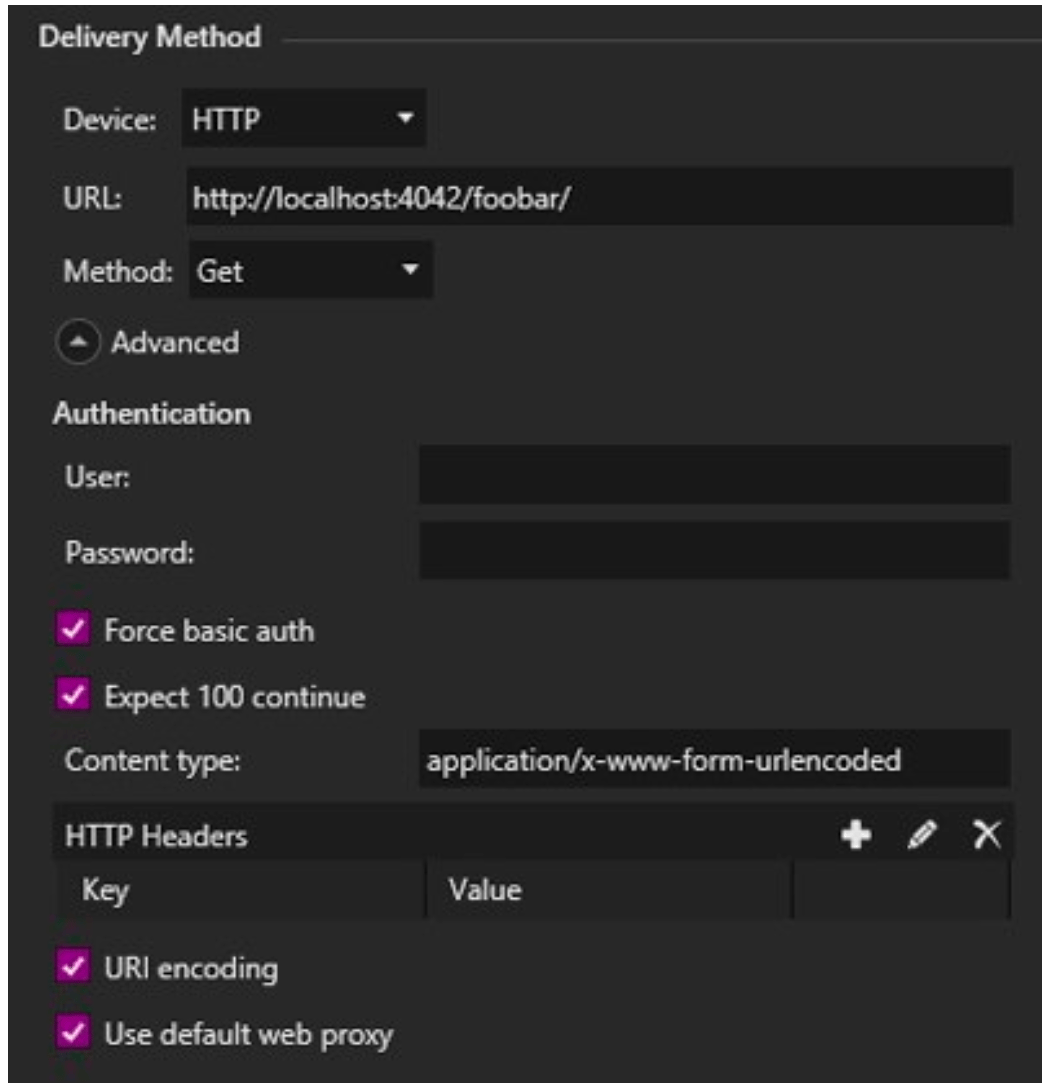
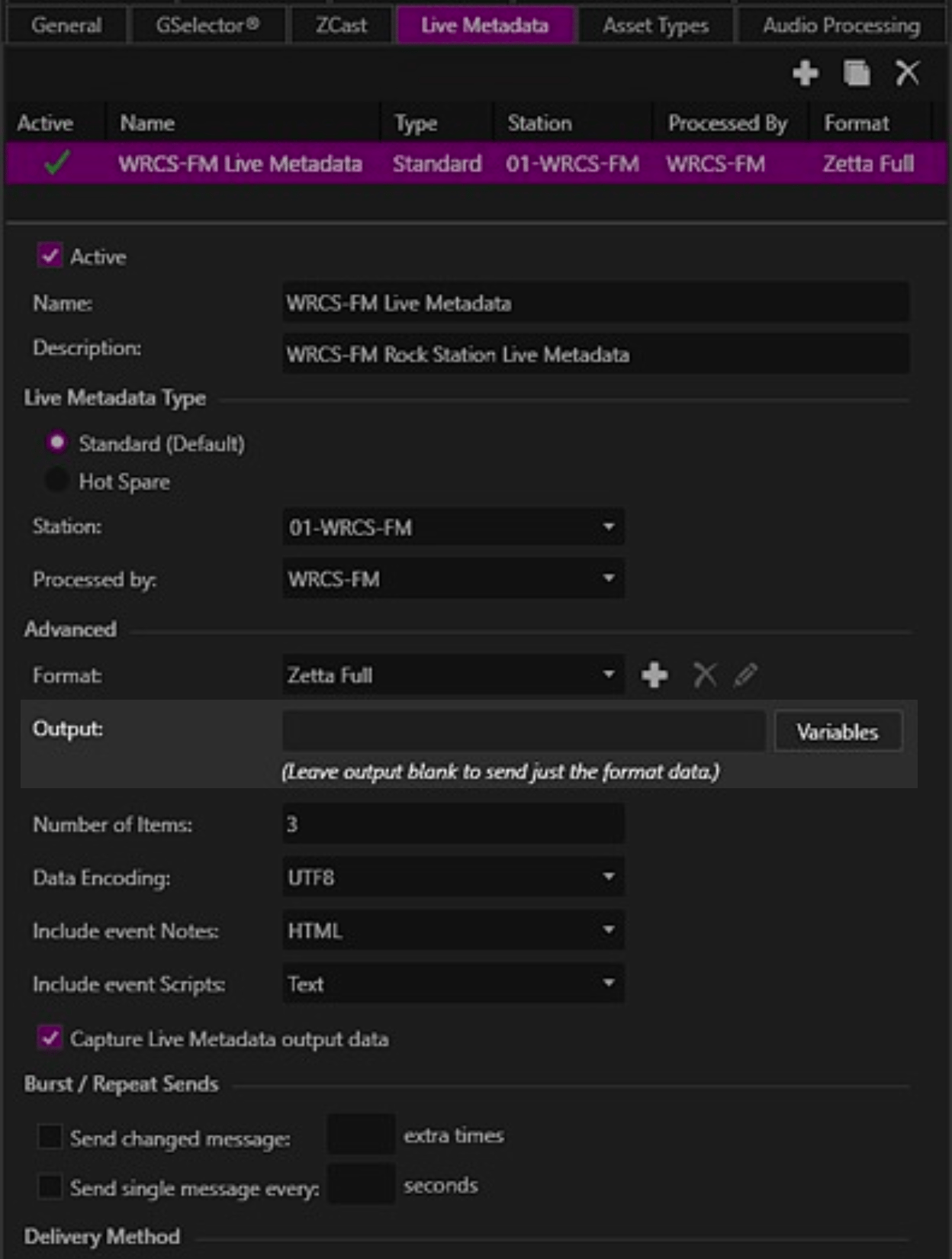
1. Create a new Live Metadata entry in Zetta and configure it to use Device Method-> Device-> HTTP
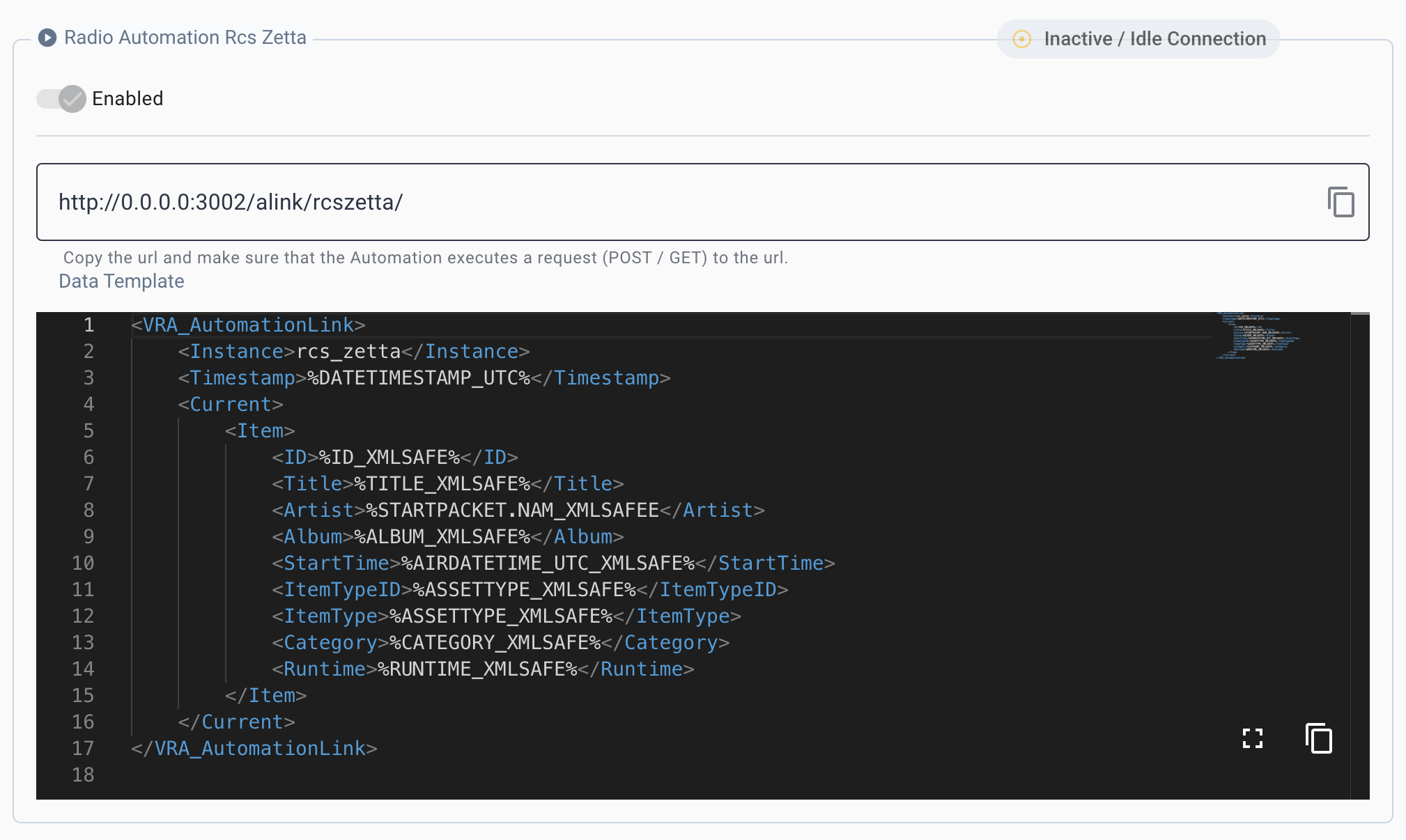
2. Copy the template from the VRA Cloud and paste it into the Advanced -> "Output" field
### Configuration
To configure the integration with VisualRadioAssist in RCS Zetta, make sure to set-up the correct URL and Output format
1. Create a new Live Metadata entry in Zetta and configure it to use Device Method-> Device-> HTTP
2. Copy the template from the VRA Cloud and paste it into the Advanced -> "Output" field
 3. Copy the url and replace the Host in the URL with the correct host of the VRA machine, relative to the Zetta Machine (for example starting with 192. or 10.1
4. Paste the url into the Device Method -> URL
3. Copy the url and replace the Host in the URL with the correct host of the VRA machine, relative to the Zetta Machine (for example starting with 192. or 10.1
4. Paste the url into the Device Method -> URL