> ## Documentation Index
> Fetch the complete documentation index at: https://docs.visualradioassist.live/llms.txt
> Use this file to discover all available pages before exploring further.
# Link Power Studio to Visual Radio
> To automate Visual Radio with Power Studio you can easily link it to your VRA set-up by following these simple 3 steps.
To automate Visual Radio with Power Studio you can easily link it to your VRA set-up by following these simple 3 steps:
***
1. Open Options and Settings in Power Studio
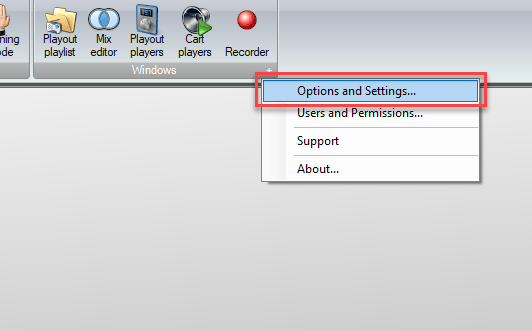 2. Go to the Plugins section in Options and Settings.
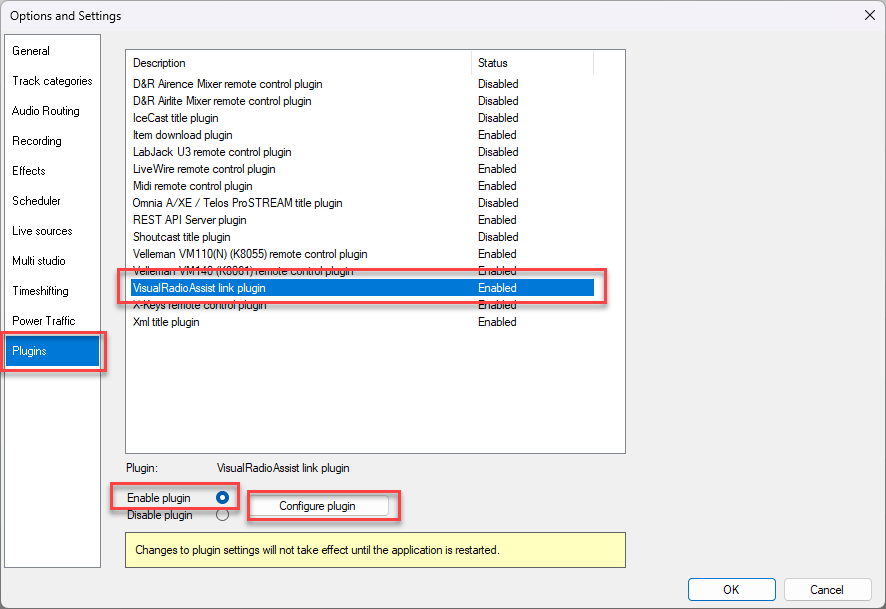
Select the VisualRadioAssist Link Plugin, Enable it and click on Configure.
2. Go to the Plugins section in Options and Settings.
Select the VisualRadioAssist Link Plugin, Enable it and click on Configure.
 3. Go to VRA Cloud Advanced Studio Settings. Add the Power Studio Automation
**Generate the Automation Dump URL**
3. Go to VRA Cloud Advanced Studio Settings. Add the Power Studio Automation
**Generate the Automation Dump URL**
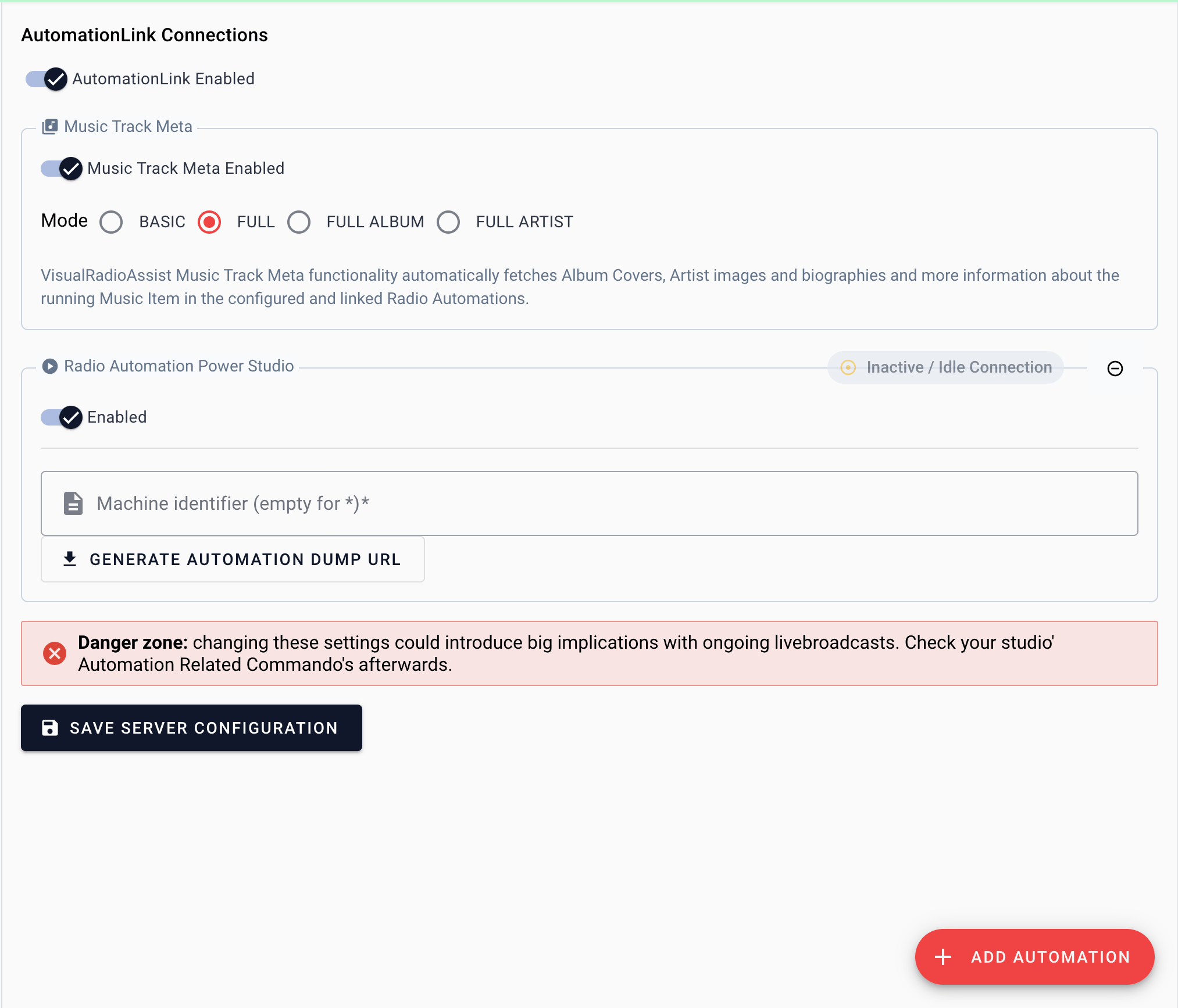 Copy the URL and make sure to verify the host IP / name in the URL.
4. Configure the Power Studio plugin to send data to the Dump URL.
Copy the URL and make sure to verify the host IP / name in the URL.
4. Configure the Power Studio plugin to send data to the Dump URL.
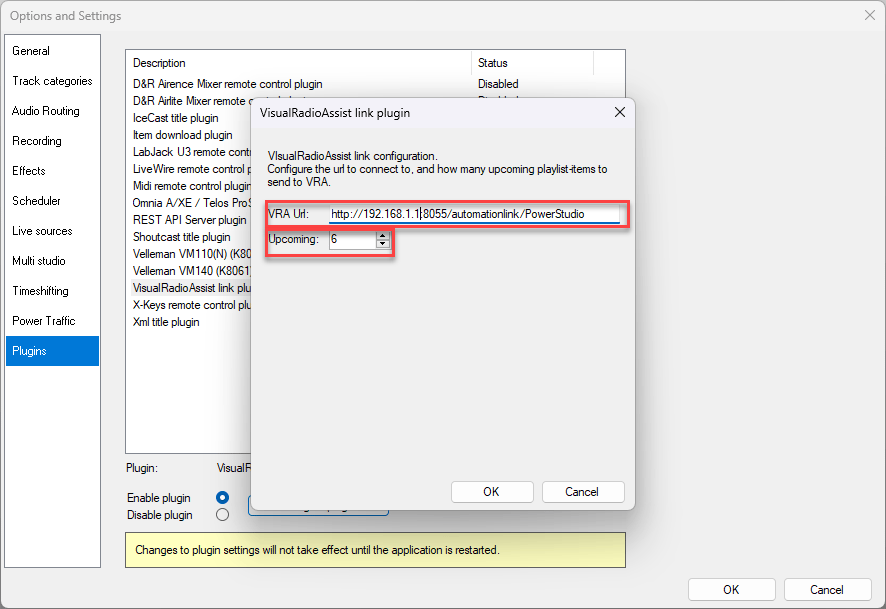 You can even determine how many upcoming rundown-items VRA should process (by default 5).
### Filter Multiple instances
It is also possible to filter for a specific Power Studio Machine identifier (if specified), to connect multiple Power Studio instances to your Visual Radio set-up.
## Data Support
Power Studio belongs to the most advanced radio automation data integrations of VRA, providing millisecond accuracy time data:
`Artist`
`Title`
`Duration`
`Timestamp`
`Content Type (ID + string)`
Configure your [Item Groups](/radio-automation-data#759141ee827f4fd28990441dbf879e18) to categorize your radio data.
You can even determine how many upcoming rundown-items VRA should process (by default 5).
### Filter Multiple instances
It is also possible to filter for a specific Power Studio Machine identifier (if specified), to connect multiple Power Studio instances to your Visual Radio set-up.
## Data Support
Power Studio belongs to the most advanced radio automation data integrations of VRA, providing millisecond accuracy time data:
`Artist`
`Title`
`Duration`
`Timestamp`
`Content Type (ID + string)`
Configure your [Item Groups](/radio-automation-data#759141ee827f4fd28990441dbf879e18) to categorize your radio data.