> ## Documentation Index
> Fetch the complete documentation index at: https://docs.visualradioassist.live/llms.txt
> Use this file to discover all available pages before exploring further.
# Macros
> The Macro trigger enables you to combine multiple VRA Commando's into one single action: a Macro. When activating this macro (via a commando, dashboard button or button in the list) VRA will execute the configured items sequentially or in instantly in parallel.
 **Macro Items**
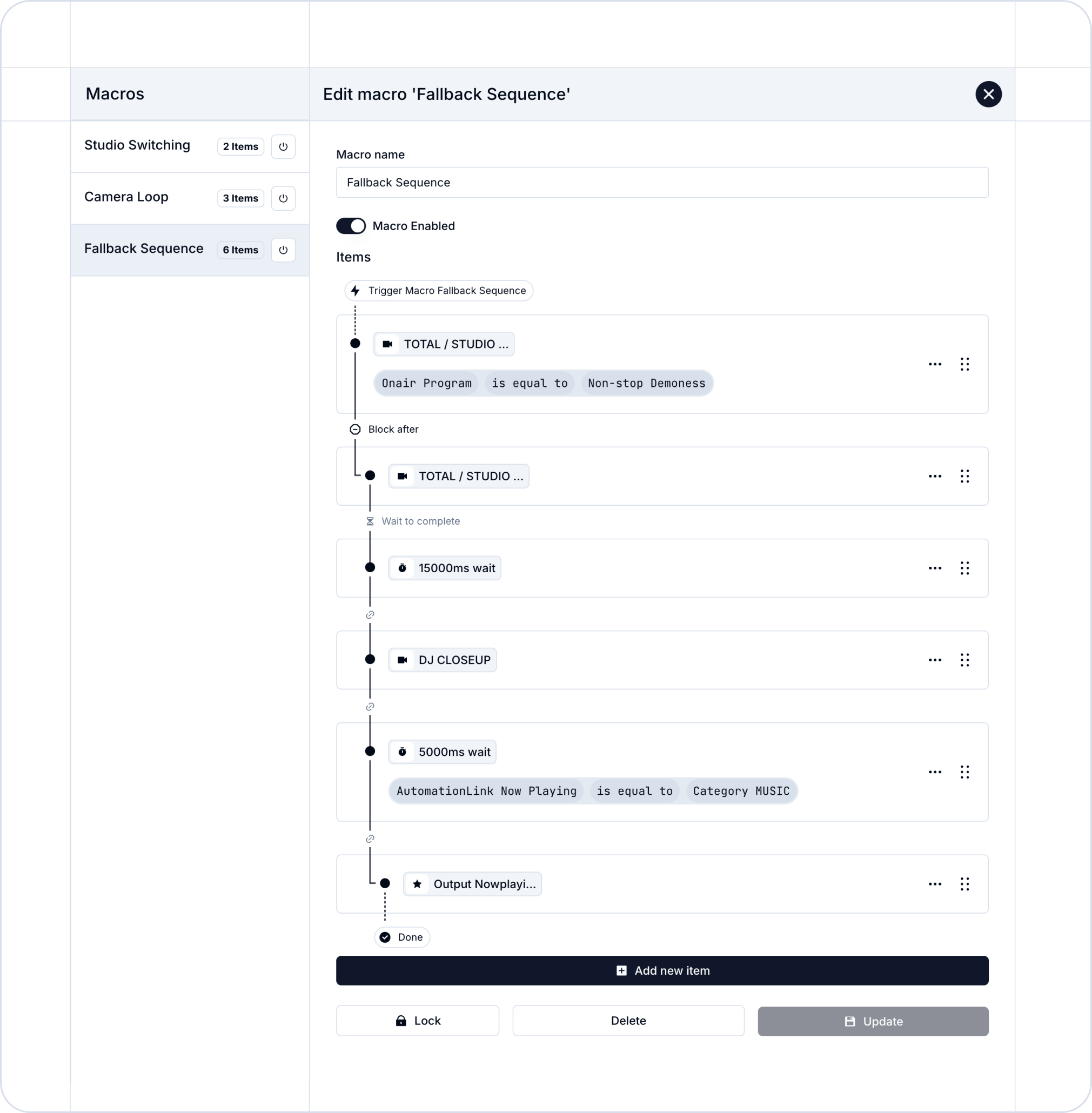
You can configure two items as part of the Macro: trigger a commando or wait for \{x} milliseconds. Selecting commando's is the same as you know from other modules in VRA.
The wait time enables you to create a sequence with time in between triggers (for example for a fallback scenario; looping over two camera's.
**Conditions**
The macro's can get really advanced by selecting conditions. These will enable or disable a item within the macro, so you can automate the full dynamic item list in the macro configuration.
**Block after**
Sometimes it is important to only continue triggering a section in the macro when a condition applies: “Only when music is playing, trigger the Nowplaying Clip Player, if not stop.”
With Block After execution you can prevent the macro from continuation if a condition is not applicable.
### Studio switching example
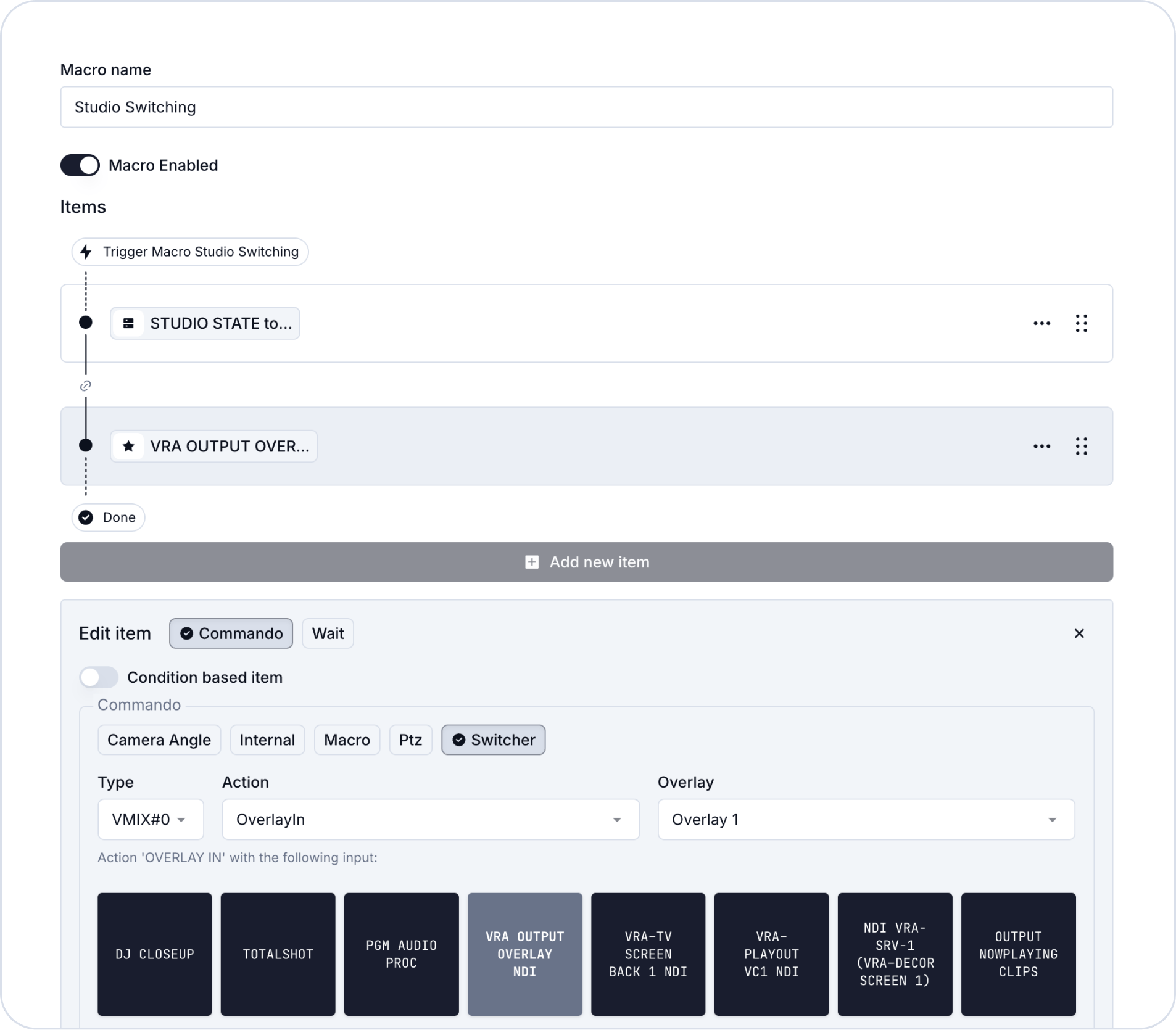
Below is one of the many scenario's you can realise with Macro's. When the following Macro is triggered, two actions are instantly executed:
* Activate the selected studio (onair)
* Set Overlay 1 to a specific Input in vMix
**Macro Items**
You can configure two items as part of the Macro: trigger a commando or wait for \{x} milliseconds. Selecting commando's is the same as you know from other modules in VRA.
The wait time enables you to create a sequence with time in between triggers (for example for a fallback scenario; looping over two camera's.
**Conditions**
The macro's can get really advanced by selecting conditions. These will enable or disable a item within the macro, so you can automate the full dynamic item list in the macro configuration.
**Block after**
Sometimes it is important to only continue triggering a section in the macro when a condition applies: “Only when music is playing, trigger the Nowplaying Clip Player, if not stop.”
With Block After execution you can prevent the macro from continuation if a condition is not applicable.
### Studio switching example
Below is one of the many scenario's you can realise with Macro's. When the following Macro is triggered, two actions are instantly executed:
* Activate the selected studio (onair)
* Set Overlay 1 to a specific Input in vMix