> ## Documentation Index
> Fetch the complete documentation index at: https://docs.visualradioassist.live/llms.txt
> Use this file to discover all available pages before exploring further.
# Develop Visual Graphics
> Customize your Visuals with CSS selectors, custom code, and animation libraries.
The CSS classes that mark each stage of a layer's transition.
Animate your Visuals with GSAP from the Designer's custom JS.
## CSS Selectors
**Default selectors:**
* `.canvas .layer` Canvas wrapper with reference to the layers
**Broken:** `#visual_canvas`
Due to the nature of the new Visual Canvas specification for the Visual Compositions Visual Canvas'es have to be unique, so we're adding a bit of the ID of the Visual to the `#visual_canvas_{#}` selector which is dynamic.
**Layer**
* `.layer` Wraps layer, with **Layer' CSS Selector** applied
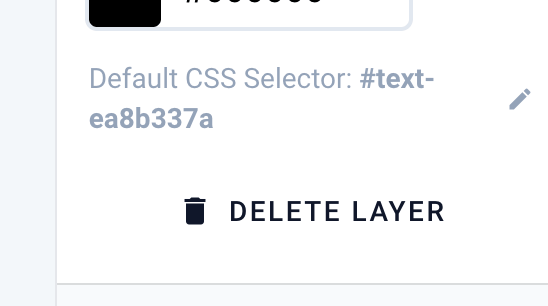
* `# ID Selector` for Layer (customizable)
 * `.type-{type}` → contains layer **type** (`.layer.type-text` = a text layer)
* `schedulingmedia`
* `text`
* `media`
* `html`
* `snippet`
**Elements**
* Text
* `.h1` - `.h6` + `.p` are classes that are added to the layer element
## Customize Visual
### Header HTML
Add libraries to your Output
**Included Libraries by default**
* ~~Tailwind CSS (CSS styling)~~
* [GSAP](https://gsap.com/)
→ See **CSS Selectors** for layer' element selectors {/* TODO unresolved link: 9695a0cb136548c6a6f2db7e355709f0 */}
### Body Javascript
Raw Javascript to be added at the end of the Body
**Events**
To integrate your custom logic with the described Layer transition states ([see](/visual-designer) Designer) Events are dispatched on `activation` and `hide` events.
When an layer is activated the `layer-activated` event is triggered on the `.layer` HTML element. When hidden the `layer-hidden` event is triggered:
```javascript theme={null}
visualLink.getCanvasElement("layer-id")
.addEventlistener("layer-activated", function(){
// do special stuff
})
visualLink.getCanvasElement("layer-id")
.addEventlistener("layer-hidden", function(){
// do special stuff
})
```
### Body-end HTML
HTML code (CSS, etc.) that is added to the end of the body (`js` wont be evaluated, script tags will)
Adding animations for yet to be rendered elements
### Custom CSS
Appended at the end of the `header` after `Header HTML` .
**Only `em` is valid**
Avoid using **`px`** or **`rem`**, as they do not consistently produce predictable results across contexts. Prefer **`em`**, which provides more reliable and context-aware scaling.
* `.type-{type}` → contains layer **type** (`.layer.type-text` = a text layer)
* `schedulingmedia`
* `text`
* `media`
* `html`
* `snippet`
**Elements**
* Text
* `.h1` - `.h6` + `.p` are classes that are added to the layer element
## Customize Visual
### Header HTML
Add libraries to your Output
**Included Libraries by default**
* ~~Tailwind CSS (CSS styling)~~
* [GSAP](https://gsap.com/)
→ See **CSS Selectors** for layer' element selectors {/* TODO unresolved link: 9695a0cb136548c6a6f2db7e355709f0 */}
### Body Javascript
Raw Javascript to be added at the end of the Body
**Events**
To integrate your custom logic with the described Layer transition states ([see](/visual-designer) Designer) Events are dispatched on `activation` and `hide` events.
When an layer is activated the `layer-activated` event is triggered on the `.layer` HTML element. When hidden the `layer-hidden` event is triggered:
```javascript theme={null}
visualLink.getCanvasElement("layer-id")
.addEventlistener("layer-activated", function(){
// do special stuff
})
visualLink.getCanvasElement("layer-id")
.addEventlistener("layer-hidden", function(){
// do special stuff
})
```
### Body-end HTML
HTML code (CSS, etc.) that is added to the end of the body (`js` wont be evaluated, script tags will)
Adding animations for yet to be rendered elements
### Custom CSS
Appended at the end of the `header` after `Header HTML` .
**Only `em` is valid**
Avoid using **`px`** or **`rem`**, as they do not consistently produce predictable results across contexts. Prefer **`em`**, which provides more reliable and context-aware scaling.