> ## Documentation Index
> Fetch the complete documentation index at: https://docs.visualradioassist.live/llms.txt
> Use this file to discover all available pages before exploring further.
# Connectivity and Access management
> Configure the Core API's ports, hostnames, and authentication for LAN and HTTPS access.
As mentioned in the **Local Server Applications** documentation {/* TODO unresolved link: 1d199c26bb2743d581d0023e23cbcbd2 */} the Core server runs by default on port `3002` allowing remote access over the LAN by all NIC's via host `0.0.0.0`
The Advanced Core Settings do allow you to set custom ports and hostnames to have more gradual control over the Core API network access.
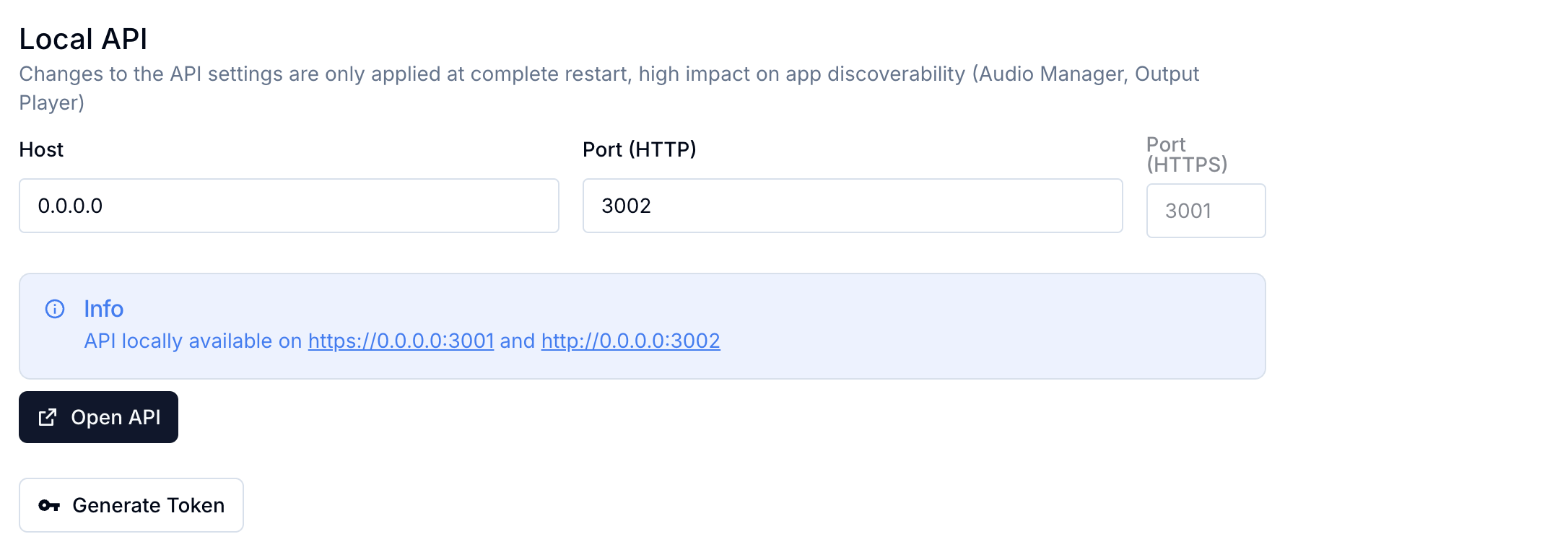 Check out all the required steps to access the API over HTTPS via the advanced local installation steps:
 ## Authentication
Most endpoints of the Local API are secured with authentication.
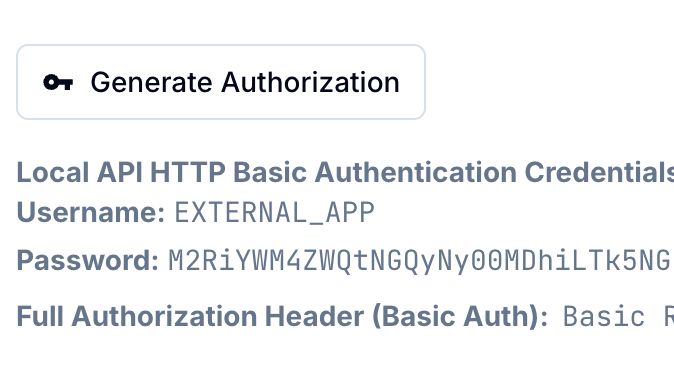
Click on the **Generate Token** button in the \*\*Cloud Core Settings \*\*to generate an username and password for accessing the API.
The authentication method is "Basic Authentication" and you can authorize yourself with the `EXTERNAL_APP` username via the `Authorization` header:
```javascript theme={null}
Basic {base64([username]:[password]}
```
## Authentication
Most endpoints of the Local API are secured with authentication.
Click on the **Generate Token** button in the \*\*Cloud Core Settings \*\*to generate an username and password for accessing the API.
The authentication method is "Basic Authentication" and you can authorize yourself with the `EXTERNAL_APP` username via the `Authorization` header:
```javascript theme={null}
Basic {base64([username]:[password]}
```