> ## Documentation Index
> Fetch the complete documentation index at: https://docs.visualradioassist.live/llms.txt
> Use this file to discover all available pages before exploring further.
# Bitfocus Companion Control over Visual Radio
> This doc described how to use Companion to utilize a StreamDeck to control the Visual Radio Assist Core application.
This doc described how to use Companion to utilize a StreamDeck to control the Visual Radio Assist Core application. Check the other [Core Control API](/develop-with-vra/core-control-api) pages as well for detailed endpoint and connectivity descriptions.
## Generic: HTTP Requests
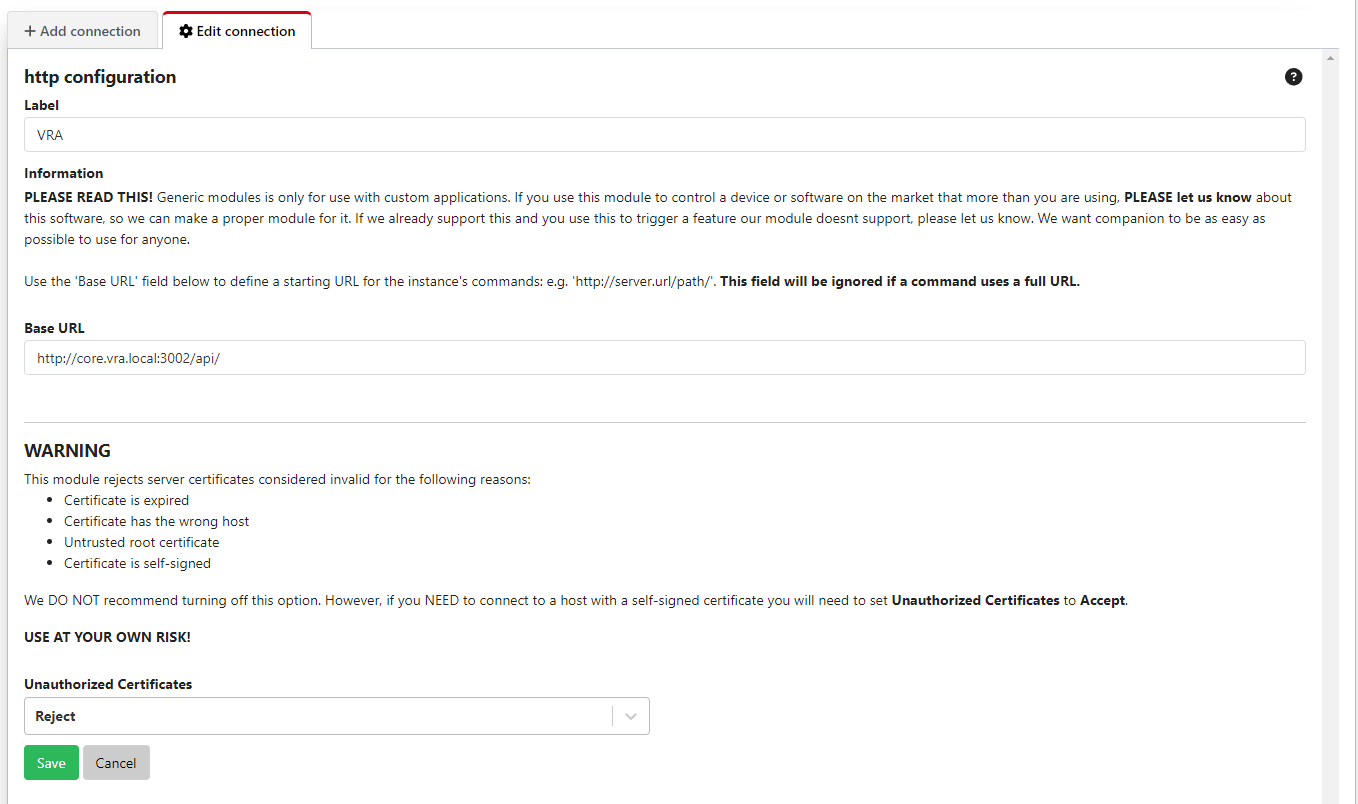
To communicate with the VRA [Core Control API](/develop-with-vra/core-control-api) you have to setup a Generic HTTP Request in Companion with the connectivity details of your Core API ([Connectivity and Access management](/develop-with-vra/core-control-api/connectivity-and-access-management)):
 ## Create re-usable variables
To reference to current states and authorization required for the communication with the VRA Core API you have to setup the following variables:
## Create re-usable variables
To reference to current states and authorization required for the communication with the VRA Core API you have to setup the following variables:
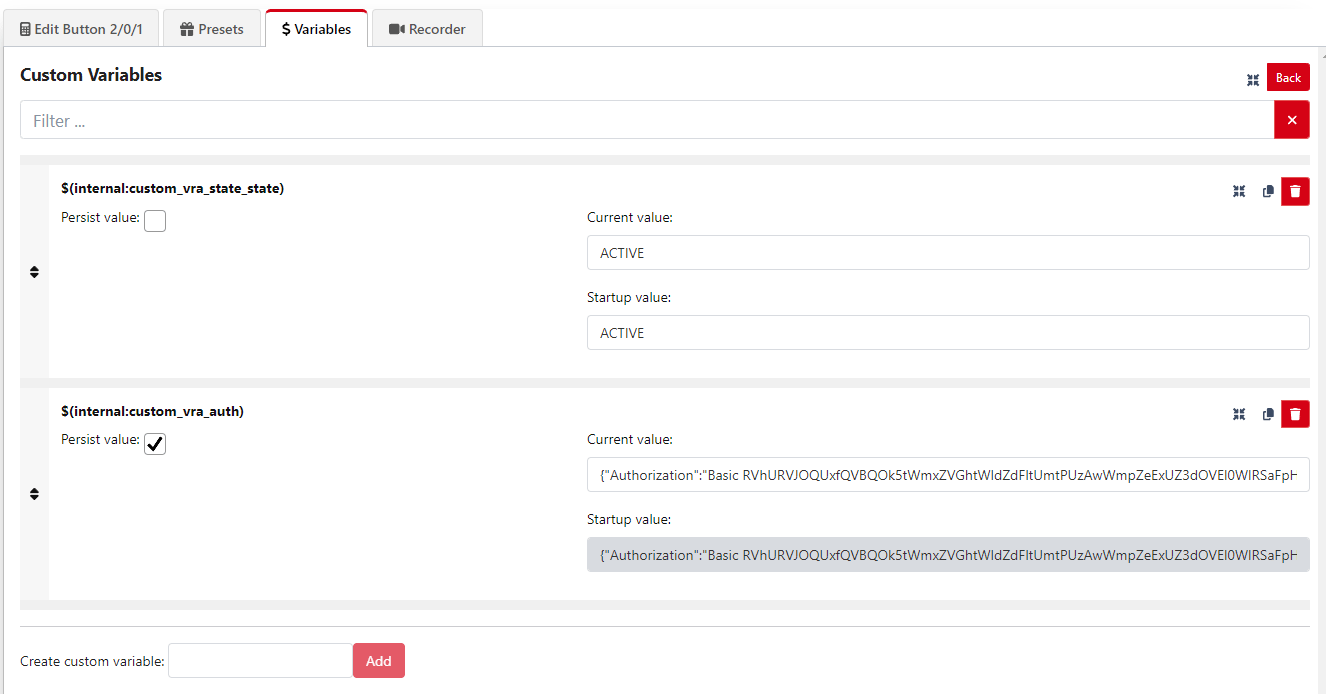 * `vra_state_state` latest state from the Core
* `vra_auth` authorization string packed in the JSON headers for Companion's HTTP Request Connection, see [Connectivity and Access management](/develop-with-vra/core-control-api/connectivity-and-access-management)
## Startup & state sync Trigger
To keep the current state of VRA in sync with the StreamDeck at all times, create a refreshing State Sync **Trigger**:
* `vra_state_state` latest state from the Core
* `vra_auth` authorization string packed in the JSON headers for Companion's HTTP Request Connection, see [Connectivity and Access management](/develop-with-vra/core-control-api/connectivity-and-access-management)
## Startup & state sync Trigger
To keep the current state of VRA in sync with the StreamDeck at all times, create a refreshing State Sync **Trigger**:
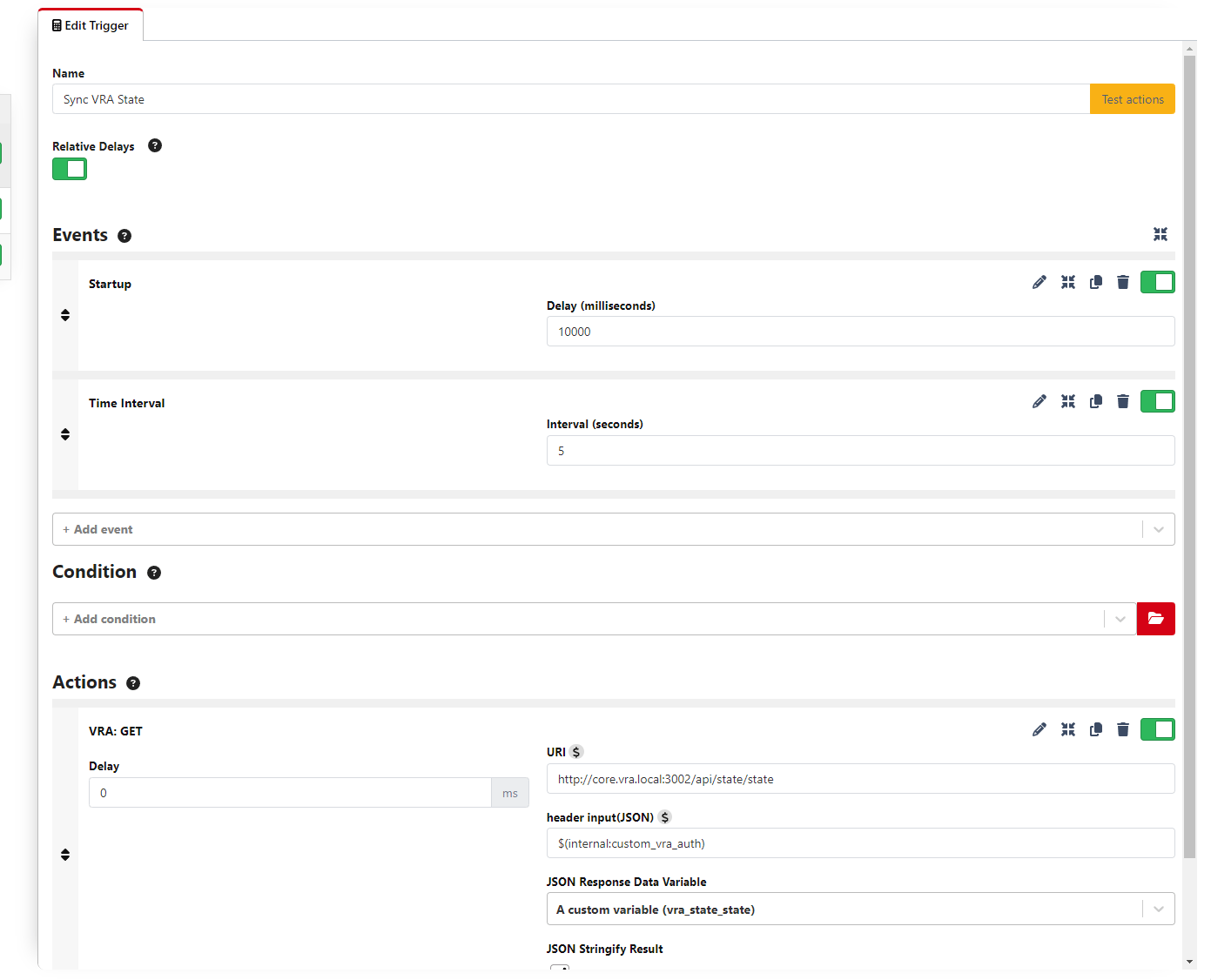 For every request with the "VRA" (general request) Connection, make sure to use the `$(internal:custom_vra_auth)` variable to reference the current authorization header JSON from the variables.
The response of the "sync trigger" should be saved in the `vra_state_state` variable for later use.
# Create a "Toggle VRA" button
To toggle the Active state of VRA you can make use of the control endpoints in the Core API.
For every request with the "VRA" (general request) Connection, make sure to use the `$(internal:custom_vra_auth)` variable to reference the current authorization header JSON from the variables.
The response of the "sync trigger" should be saved in the `vra_state_state` variable for later use.
# Create a "Toggle VRA" button
To toggle the Active state of VRA you can make use of the control endpoints in the Core API.
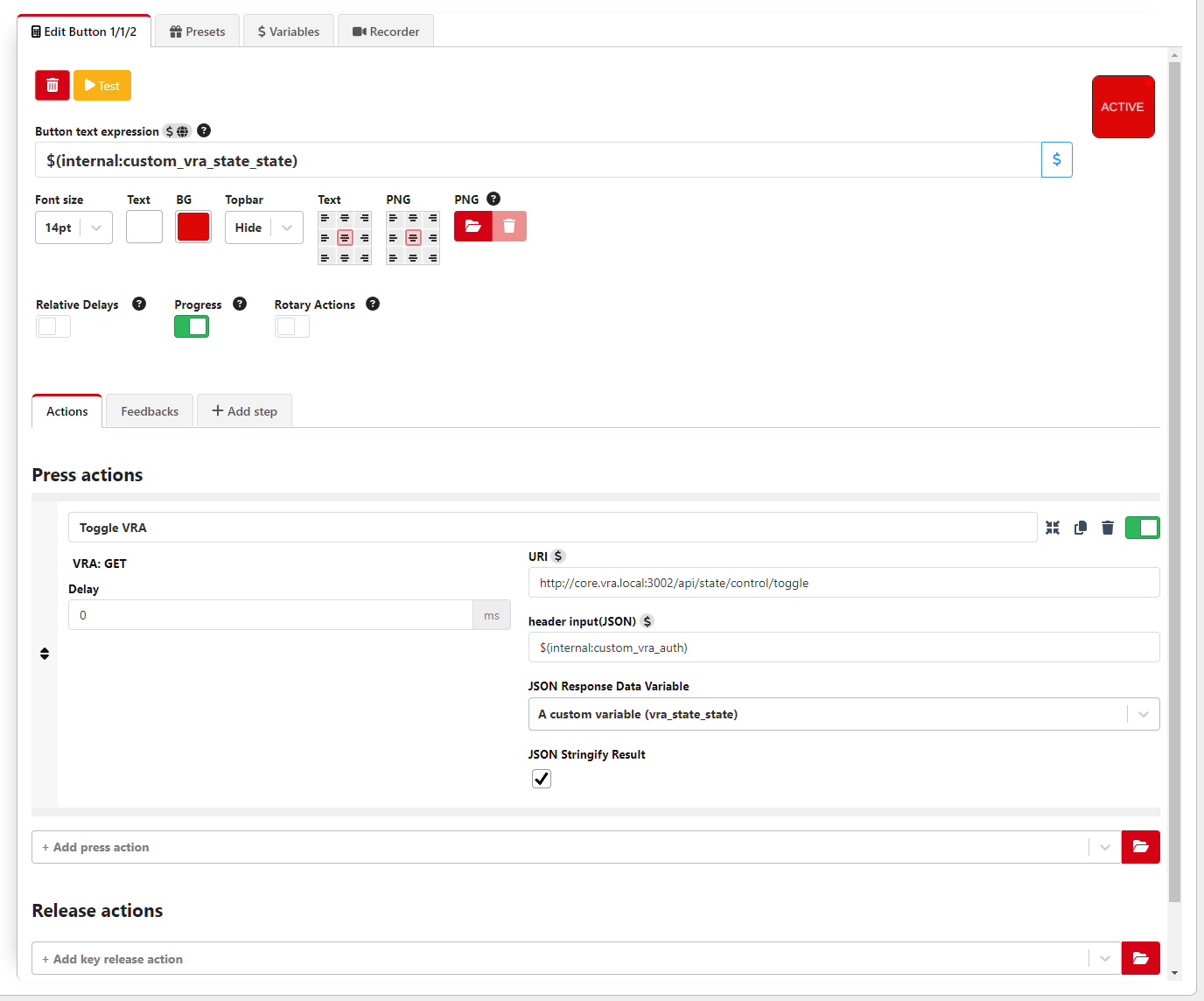
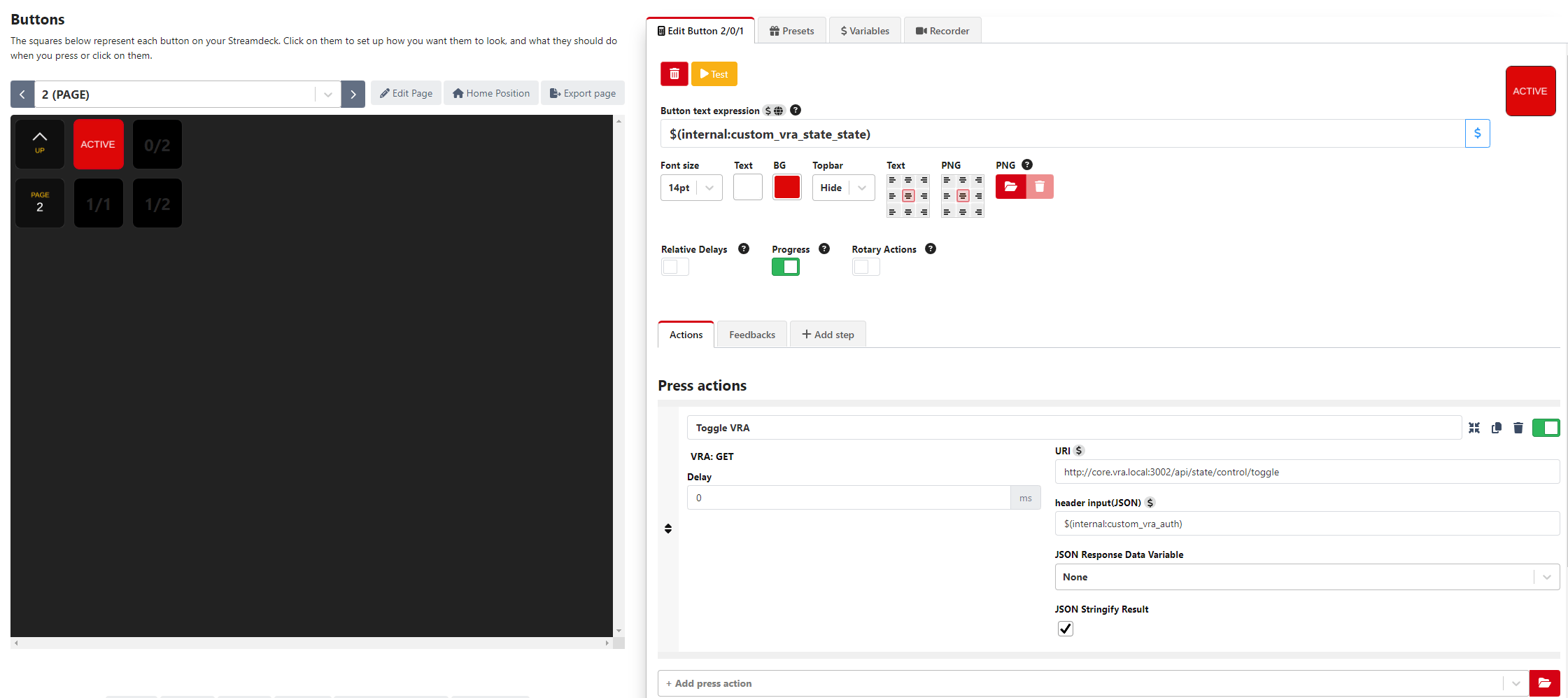 The current VRA State should be visible in the button via the `vra_state_state` variable and the value of the variable is updated after the Press Action.
 ### Sync color
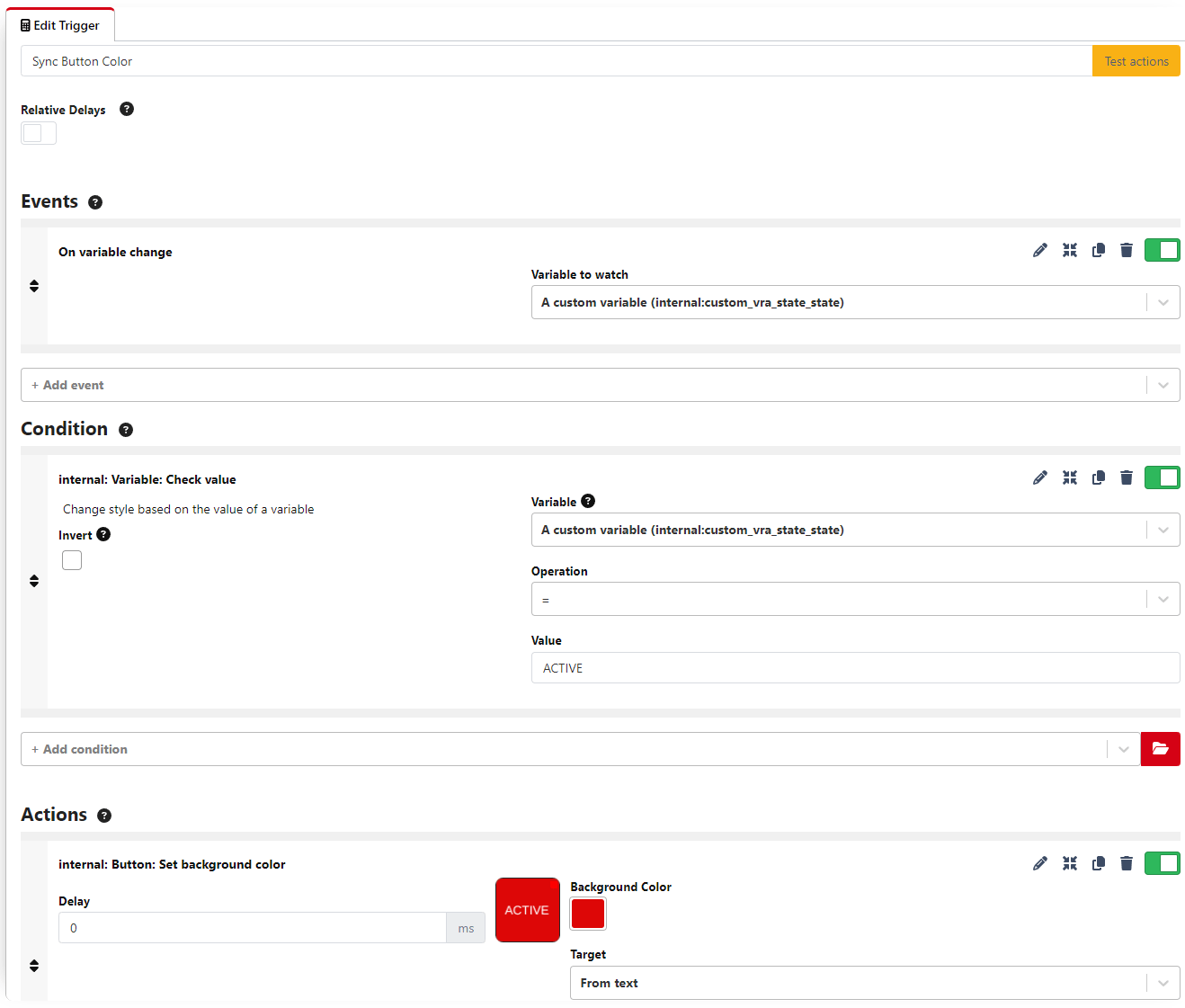
You can update the button color with each state update via an extra trigger comparing the current `vra_state_state` value. Make sure to use the correct button location in the **Set background color** Action. You need to create two Triggers for the **`ACTIVE`** and **`DEACTIVATED`** state.
### Sync color
You can update the button color with each state update via an extra trigger comparing the current `vra_state_state` value. Make sure to use the correct button location in the **Set background color** Action. You need to create two Triggers for the **`ACTIVE`** and **`DEACTIVATED`** state.